
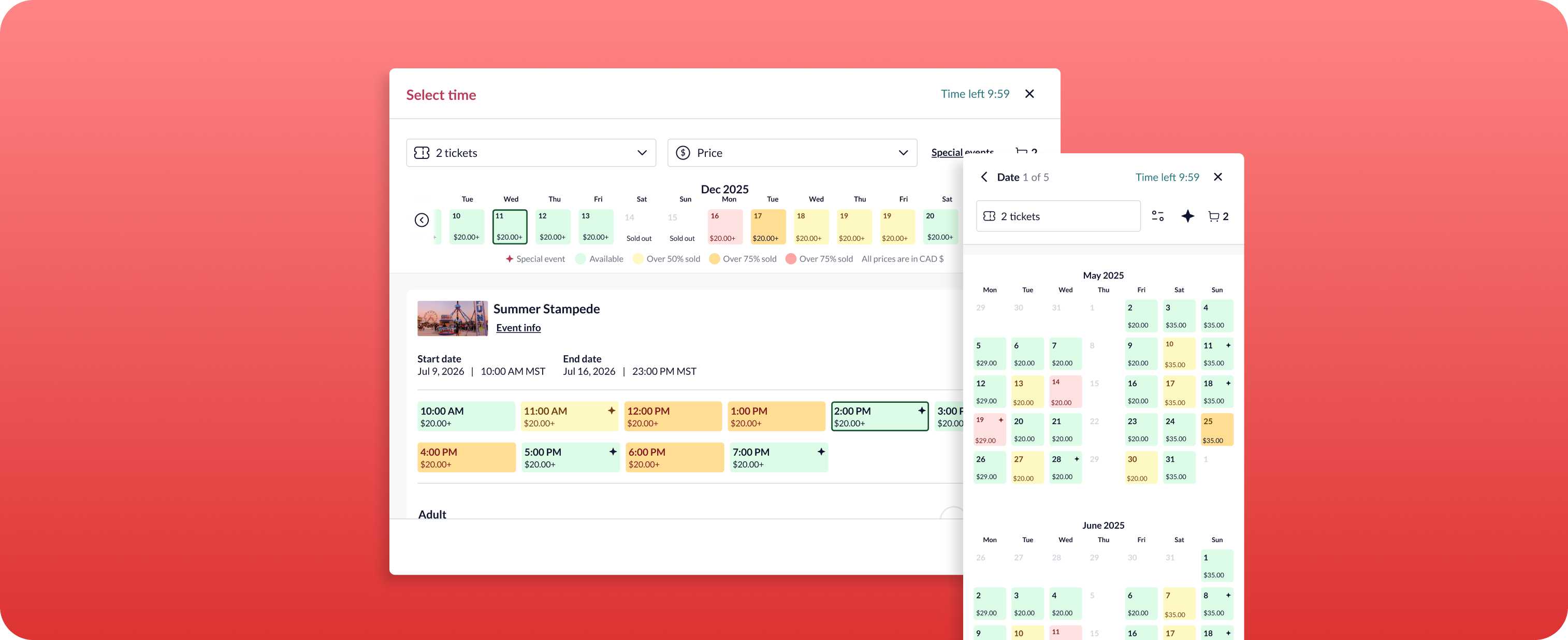
The Advanced Timed Entry Ticketing is a specialized Showpass tool designed for high-traffic, date-driven attractions like seasonal markets, light shows, and festivals. It lets your guests browse events, compare dates, see real-time pricing, and complete purchases - all from both desktop and mobile-friendly views.
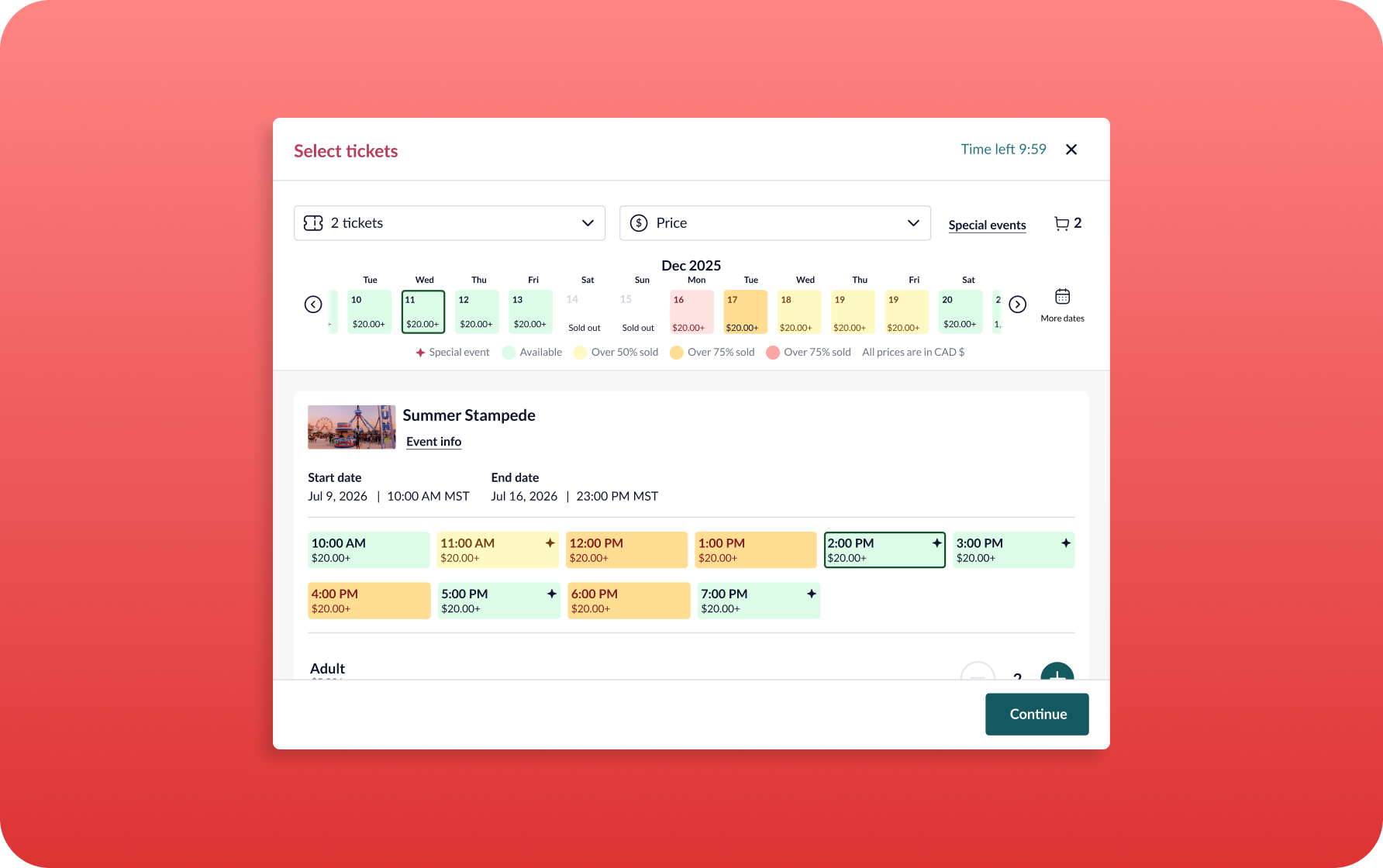
Customer feedback and organizer interviews revealed frustration with the old interface: inability to find specific ticket types, unclear pricing, and high drop-off rates due to friction in the selection process. These issues hinder conversion, increase customer support tickets, and damage client confidence. This upgrade is a strategic enhancement focused on improving the event discovery and the purchasing flow. This improvement introduces a new feature with dynamic filtering, price transparency, better UX/UI, and clearer presentation of special events.
We’ve completely redesigned the calendar experience to make planning and booking your events easier, faster, and smarter.
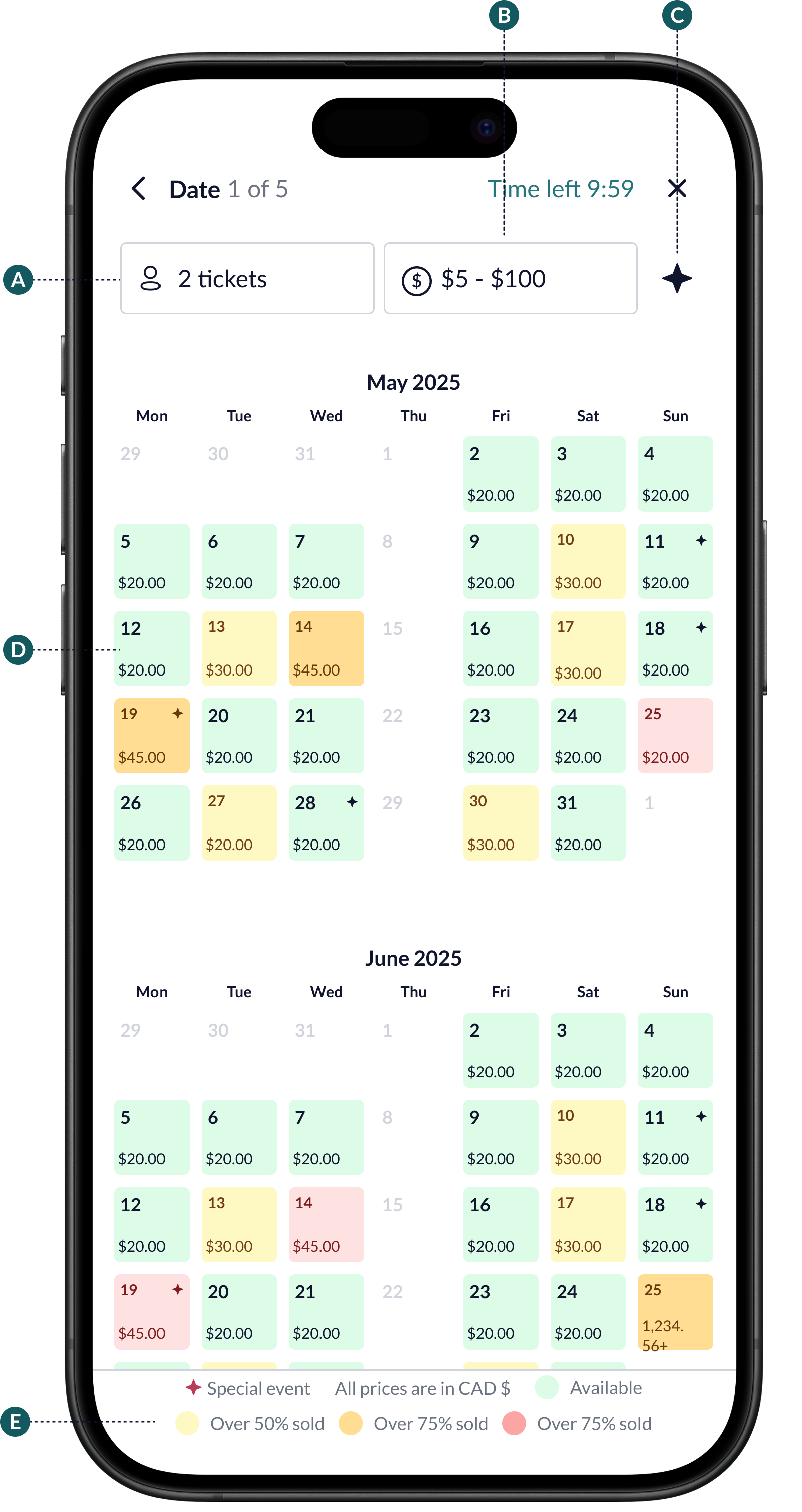
A) Easy Ticket Selection
It lets guests choose their desired ticket quantity. Once selected, the calendar updates instantly to reflect live availability.
B) Smart Price Filtering
Guests can browse using a price filter. They can enter their own budget within the available range. One tap updates the calendar with matching options.
C) Highlight Special Events
A dedicated view showcases all available special and other unique event types - making them impossible to miss.
D) Month Navigation Made Simple
Need to plan ahead? A quick swipe reveals more months into the future - while past dates stay out of view, keeping things clean and relevant.
E) Clear Visual Indicators
Our new built-in legend makes it simple to understand: Special event dates; Availability levels (with colour-coded thresholds) and Local currency prices.
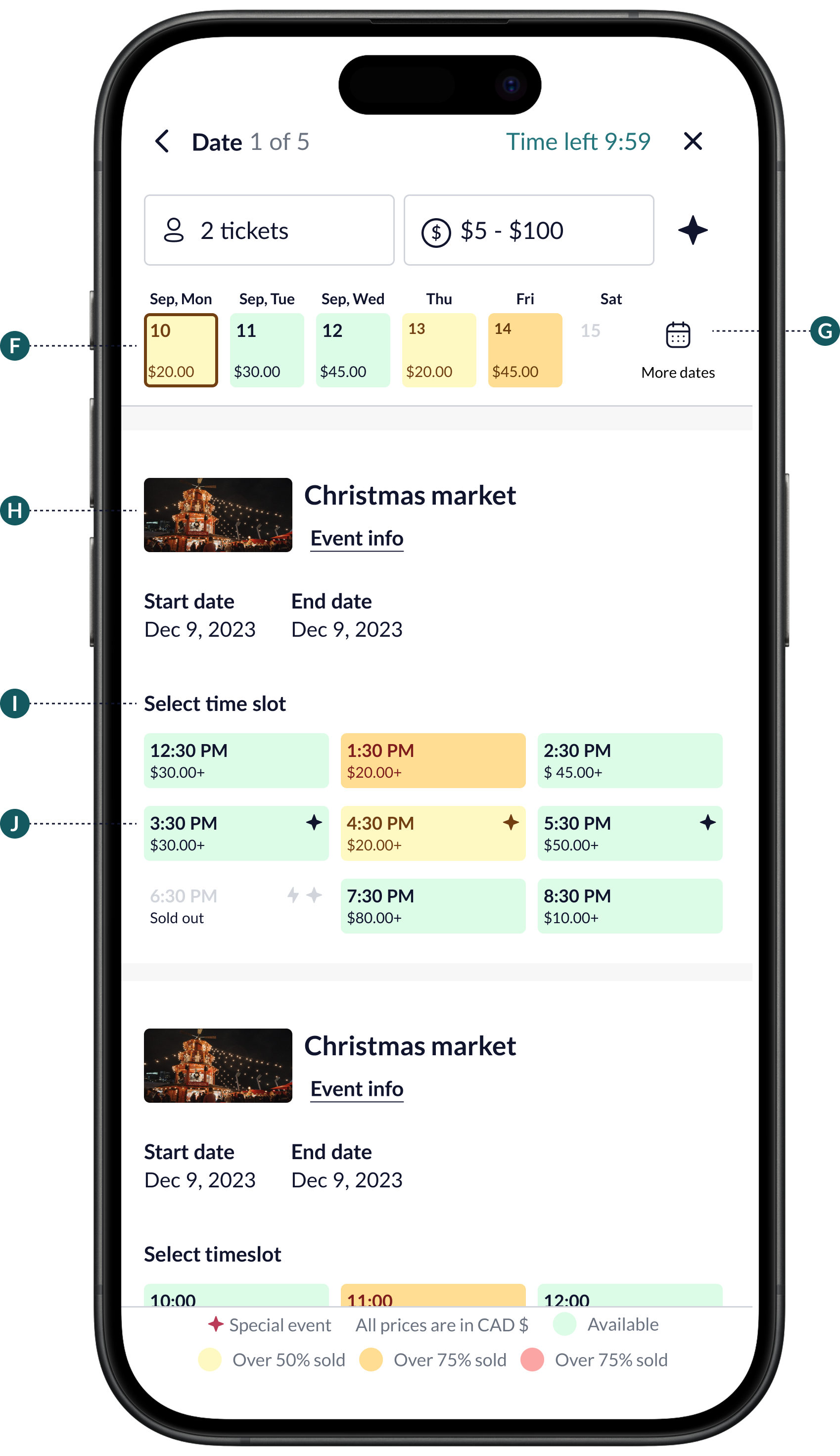
F) Date Slider
See available and unavailable dates in a horizontal slider. The selected date is always highlighted, and you can scroll right to discover more upcoming dates.
G) More Dates
Want to look further ahead? Tap the More dates button to open a full calendar view. Select a date, and it updates instantly.
H) Event View
Scroll vertically to explore all events happening on the same day, with events neatly organized below the header.
I) Event Info
See event images, names, and start dates, along with a View Event Info button for quick details.
J) Event Time Slots
Check available time slots with clear indicators for time, special events, pricing, and live inventory ranges.
Faster bookings, fewer support issues, and higher conversion rates.
We’d be happy to demo the new version, walk you through your options, and get it live for your events.
Submit your request here.
